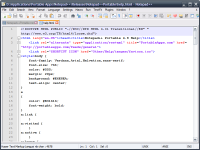
Don't settle for less, get the real Notepad!
Notepad + + is a file editor that allows sources highlighting the syntax and formatting. This software is ideal for developers who want to quickly edit a file HMTL or PHP for example. In addition to these basic functions for computer languages, it also allows for example to color the words that you have set, print the code with colors or edit multiple source files at the same time thanks to its multi-function views . You can also edit with this software two different versions of the same file, ideal for creating multiple versions of a web page or find an error, for example. Icing on the cake, this software is open source is very light, its initiation is fast and consumes very little system resources even with a score of open files.
Operating system:Windows All

Integrated with Microsoft Outlook. Set up phone, Email, text message, instant message, and Fax reminders directly from Outlook calendar.
Price: $0, Rating: 9, Downloads: 366
Download

AnyBizSoft PDF to PowerPoint Converter is a powerful PDF converter software which helps you easy to convert multiple PDF files at the same time to editable and dynamic PPT presentations with perfect effects.
Price: $29.95, Rating: 0, Downloads: 165
Download

Convert multipage TIFF to PDF software insert join merge combine multiple TIF to Acrobat. Batch multi frame TIF to Adobe converter tool conversion utility converting image, photo, picture, drawing, scan, snapshot and screenshot to multi-page PDFs.
Price: $14.90, Rating: 7, Downloads: 150
Download

PDF restrictions remover software unlock PDF security owner password and enables PDF content copying, document printing, form filling and modifying. Decryption tool supports 40-bits/128-bits RC4 and 128-bits AES encrypted PDF files to unrestrict.
Price: $24.95, Rating: 4, Downloads: 147
Download

PDF password security guard, protect your digital property from unauthorized person by securing them with pdf open password, preventing them from printing, text copying, filling, commenting with owner password restrictions and by encrypting.
Price: $19.95, Rating: 5, Downloads: 145
Download 
 Notepad++ 7.4